
In case you missed it (understandable as it’s hard to keep up with all of the breaches these days), GitHub got hit this week, and the attackers managed to steal around 3,800 internal code repositories.
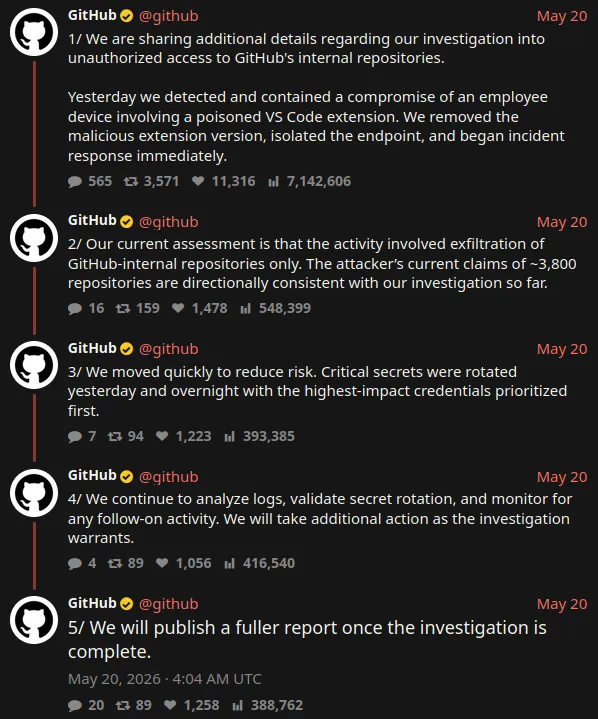
That’s a lot of code. According to GitHub’s investigation, attackers pushed a dodgy update to a VSCode extension that an employee had installed. By default, VSCode extensions automatically update so just like that, the attackers had access to their machine.
“But wait a minute! Aren’t extensions just colour themes, key bindings, and customised menus?” you might say. It turns out that’s not the case and that your MFA controls, conditional access policies, EDR software and SOC might not be able to stop an attacker in this position.
In this post, we’ll share our research about:
- How we got malware onto Microsoft’s official extension marketplace, just like the GitHub hackers
- Whether Microsoft’s security controls seem to be effective (SPOILER ALERT: they’re not)
- What we built to address the gaps
Developer Machines Are A Blind Spot
When organisations tackle security, they’ve historically focused on the network perimeter as well as endpoints at the OS level:
- Email filtering catches phishing attacks on the way in
- Firewalls catch traffic to malicious domains
- EDR software does its best to prevent malware from running
Developer tooling is a bit different to what we’re used to focusing on. Package managers, IDEs, and app extensions are tools of the trade for developers, and they install and update things like this constantly. IT often don’t know, or have the time or expertise to scrutinise these changes. If it’s not a new application and it doesn’t require admin credentials to install, it flies under the radar.
VSCode is a perfect example of this. With over 50,000 extensions on the public marketplace, developers can run untrusted code on their machine with a simple click of the ‘Install’ button. Extensions are basically just .zip files containing Javascript, sometimes with binaries packaged too. This code might run without admin privileges, but admin privileges aren’t the crown jewels anymore; tokens to authenticate to code repositories in the cloud, SSH keys to authenticate to critical servers, and a backdoor into a corporate environment are. All of that can be stolen from the Node process that extensions run in.
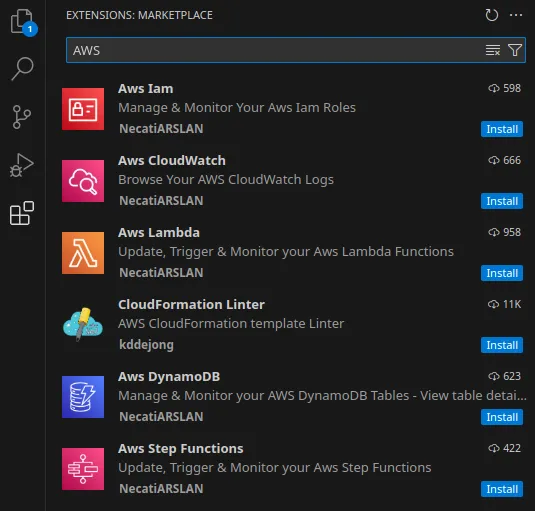
To explore this blind spot, we wanted to find out how hard it would be to get real malware onto the public VSCode extension marketplace.
The Attack: How It Works
Keeping it high level, we set out to create a VSCode extension that:
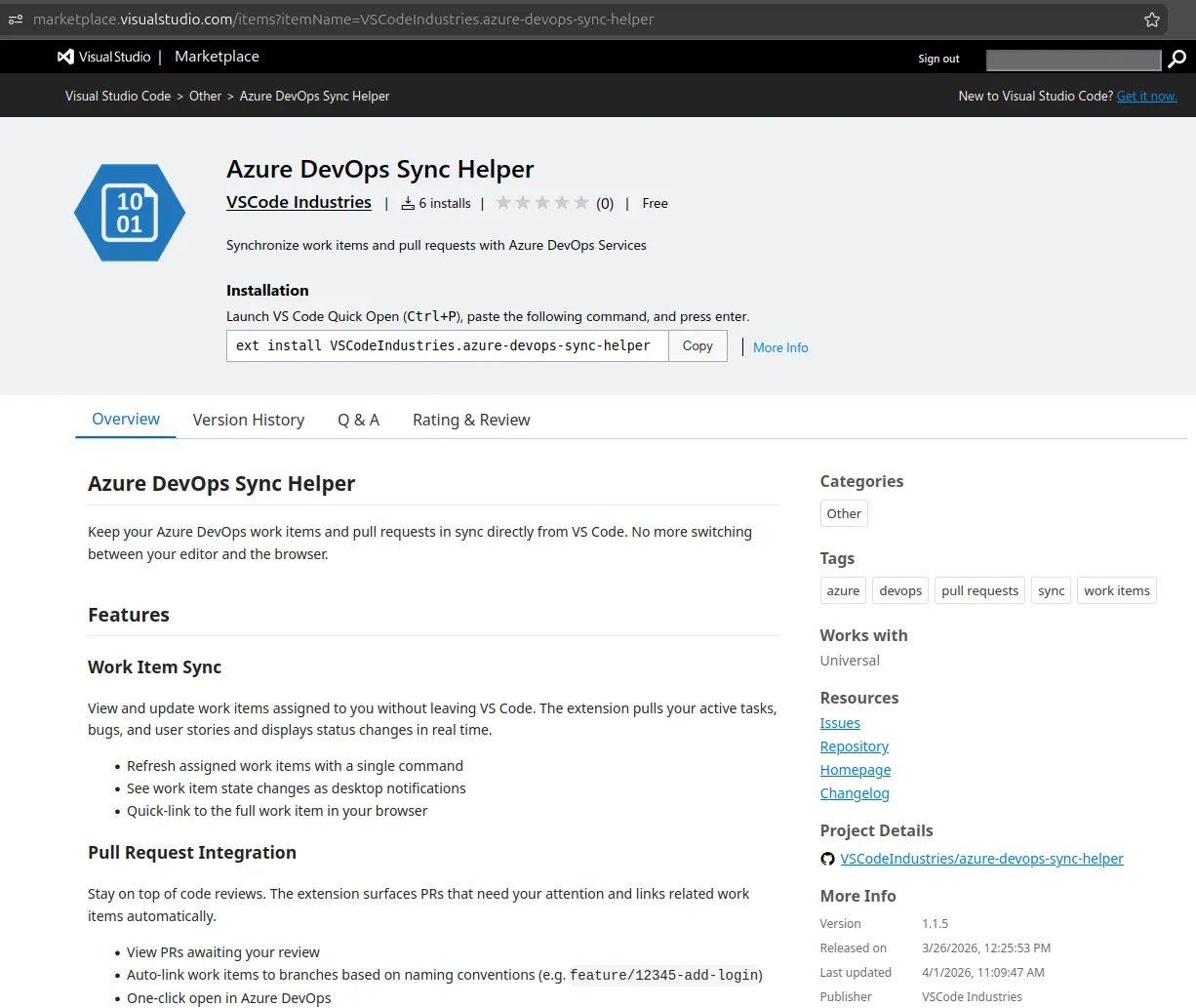
- Needed to look legitimate. We called ours ‘Azure DevOps Sync Helper’
- Activated immediately when installed
- Communicated with our control server via Azure Blob Storage
- Came with advanced features built in. Like automated secret stealing, the ability to tunnel into the machine’s internal network, and a module to identify candidates on the machine to install proper malware to
- Wasn’t caught by Microsoft’s automated scans of the extension marketplace
- Wouldn’t be detected by EDR software or the SOC monitoring the machine
- IMPORTANT - Would NOT run on any computers except the one that we’d set up for demo purposes. We specifically made it impossible for it to run on someone else’s computer!
We didn’t want to have to deal with registering a domain, creating SSL certificates, worrying about someone spotting our control server on the Internet. So we built on the good research of Specter Ops, by adding our advanced features and packaging the malware into a VSCode extension. We also didn’t want to be too tricky - the VSCode extension was just plain old Javascript. Here it is on the official marketplace, available for a over a week before we took it down:
Why This Is Hard To Catch
We mentioned above that the malware “Wouldn’t be detected by EDR software or the SOC monitoring the machine”. Why is that?
- The extension runs within VSCode’s process. It doesn’t drop files to disk, sideload DLLs, or anything that EDR software has become good at detecting.
- Network analysis on the machine sees legitimate VSCode traffic. The extension was downloaded from the public extension marketplace, not a website that IOCs might exist for.
- The control channel is Azure. Organisations advanced enough to begin whitelisting domains would likely include all things Microsoft.
- Extensions are installed by developers routinely. If the security team wants to vet installations retroactively it would already be too late. Only proactive security controls will work here, and we don’t hold up engineers with process unless there’s good reason.
- The extension didn’t do anything that EDR software like Windows Defender for Endpoint would detect. We had it running 24/7 for weeks before uninstalling it and deleting our infrastructure.
We were confident that a SOC wouldn’t see the extension running for weeks, and they didn’t!
What Microsoft Has Done To Help
To be fair, Microsoft has done a few things to attempt to help organisations protect against malicious extensions.
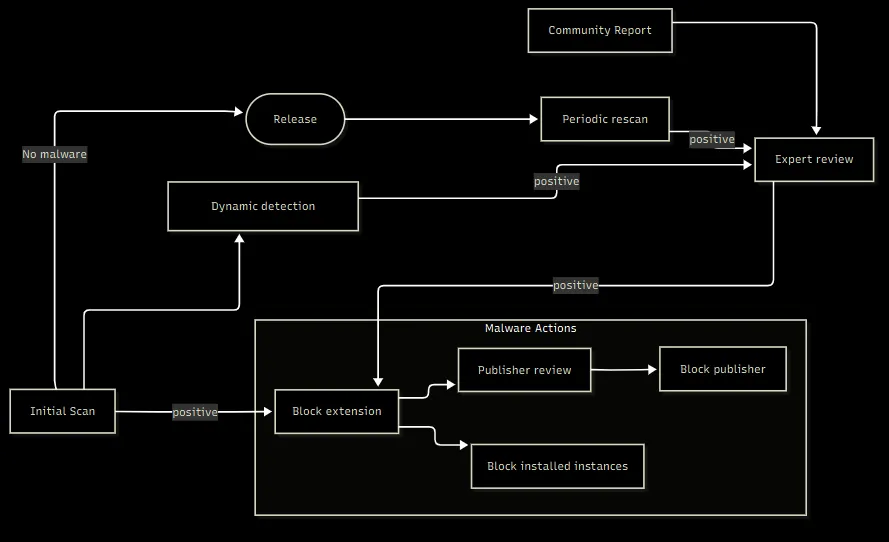
- According to the diagram above, they scan new and updated extensions for malware
- Extension whitelisting policies. VSCode supports extension whitelisting applied via Intune or Group Policy. You can allow or block extensions by publisher, extension, and even version.
- In late 2025, it became possible to host your own Private VSCode Marketplace. Hosts are configured to connect to that instead of the public one, where admins can add known, safe extensions for developers to install on demand.
How do those things stand up in practice though?
- Literally ANY language model we gave the extension file to was able to unpack it and identify it as malicious. We’re not sure what Microsoft’s scans are doing, but they could clearly use improvements as it’s been a problem for a long time, and real companies are being compromised.
- The private VSCode Marketplace concept is brand new and requires organisations to set up a whole service and maintain it.
- Like any whitelisting, extension whitelisting results in painful, manual processes that must be completed before the developer can install their extension.
What We Built To Address The Gap
We built a fast, automated, AI-powered way to vet extensions before they’re allowed in an enterprise. How does it work? You’ll have to read more in next week’s blog post!
In Conclusion
You’ve invested a lot of time and money into hardening the front door. This research is a reminder that attackers will walk around to the side window. This week’s GitHub hack validated the research we did about where a side window in a mature enterprise would be. We also built a tool to fill that gap.
Every organisation is different, so reach out if you’d like us to help you find gaps in yours.